Introduction
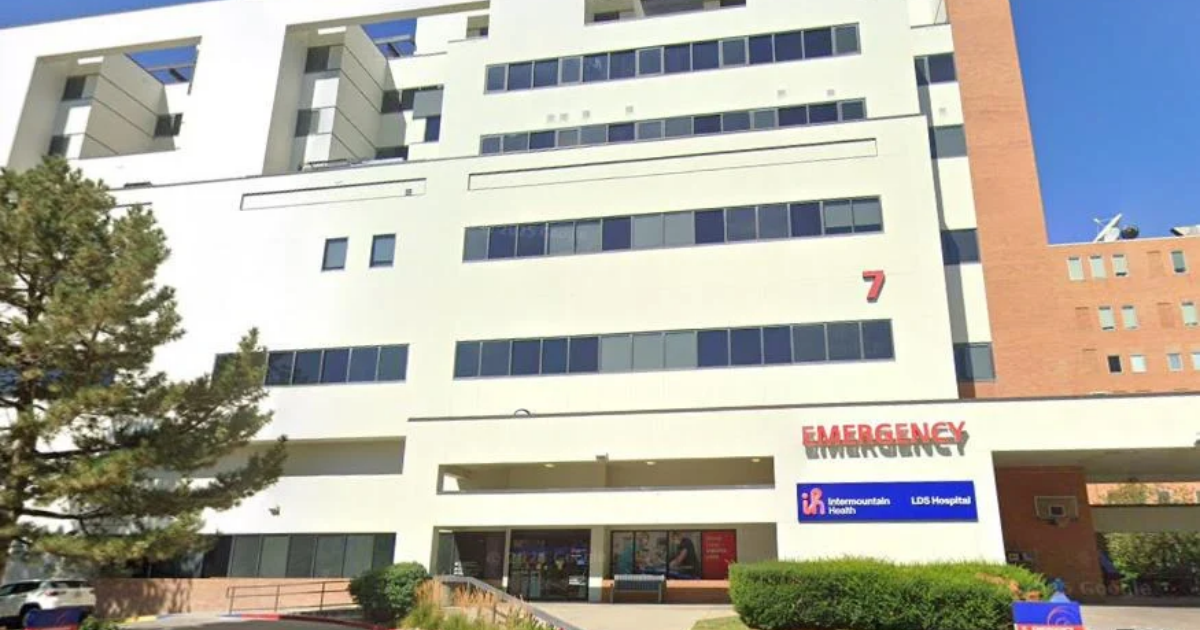
If you need LDS Hospital medical records, you may want to review information from a previous hospital visit, obtain copies for your personal files, or share your health history with another healthcare provider. Having access to your medical information can make it easier to prepare for appointments, understand previous treatment, and coordinate ongoing care.
LDS Hospital is part of Intermountain Health. Patients looking for records from earlier visits can begin with the organization’s current MyChart patient portal or its medical-records request process. MyChart provides access to certain health information, while additional documents may require a separate request.
This guide explains how to access LDS Hospital medical records, request copies, complete the necessary paperwork, transfer information to another doctor, and understand privacy requirements and processing times. The steps below can help you prepare your request and avoid common mistakes.
What Are LDS Hospital Medical Records?
LDS Hospital medical records are documents associated with healthcare services provided during hospital visits, emergency treatment, diagnostic testing, procedures, and other encounters. The information available depends on the care received and the records maintained by the healthcare organization.
Medical records may contain:
- Hospital admission and discharge information
- Medical history and physical examination reports
- Laboratory and diagnostic test results
- Emergency department documentation
- Imaging reports
- Surgical and operative reports
- Consultation notes
- Progress notes from healthcare providers
- Cardiac studies and electrocardiograms (EKGs)
- Certain billing records
You may not need every document in your medical history. For example, a new doctor may need records from a particular hospital stay, while an insurance claim may require specific treatment documentation.
Identifying the records and dates you need before submitting a request can make the process more straightforward.
How to Access LDS Hospital Medical Records Online
One way to begin is through the Intermountain Health app, which uses MyChart for patient portal services.
Eligible patients can use MyChart to review certain health information without first requesting a complete paper record. The information available depends on the patient’s account, the type of care received, and the records accessible through the system.
Available information may include:
- Medical history and physical examination reports
- Discharge summaries
- Laboratory results
- Imaging reports and certain available images
- Emergency department notes
- Progress notes
How to Find LDS Hospital Records in MyChart

Follow these general steps to look for available records:
Step 1: Sign in to MyChart
Open the current Intermountain Health patient portal and sign in using your registered credentials.
Step 2: Open the Menu
Look for the Menu option within your account.
Step 3: Select Sharing
Choose the Sharing section to review the available record-sharing features.
Step 4: Choose Request Records
Select the record-request option and review the available visits or documents.
Step 5: Submit Your Request
Select the information you need and follow the instructions provided by the portal.
The exact screen layout may change as the patient portal is updated. If you cannot find a particular older document, you may need to use the formal medical-records request process.
Remember that a document missing from MyChart does not necessarily mean it no longer exists.
How to Request LDS Hospital Medical Records
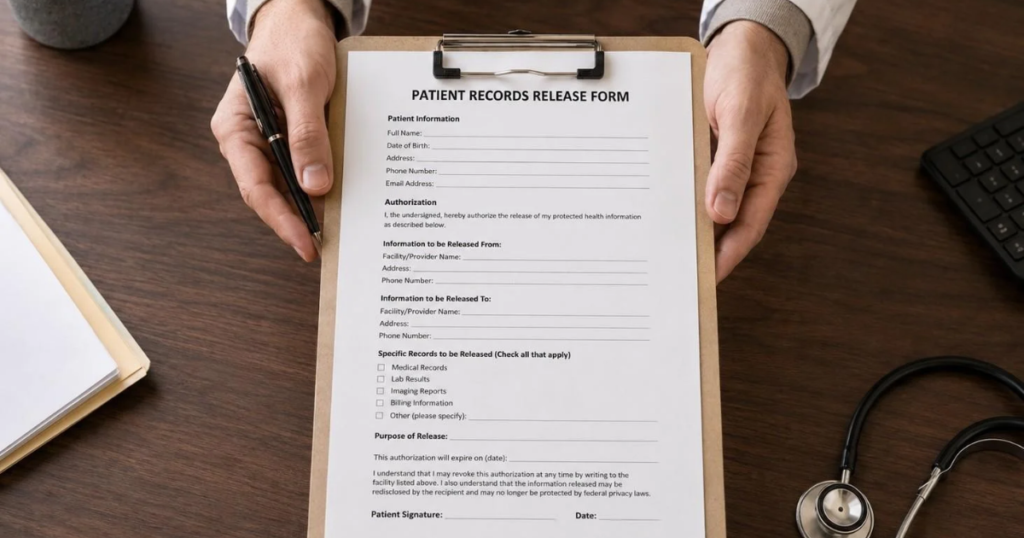
Table of Contents
If your records are not available online, or you need a more complete copy of your medical history, you can request the information through Intermountain Health’s medical-records process.
The organization provides different submission options for Utah and Idaho, including mail, fax, email, and in-person requests. Available methods and requirements should be checked against the current instructions before submitting your paperwork.
LDS Hospital Medical Records Request Form
The medical-records request form collects information needed to identify the patient, locate the relevant records, and deliver them to the correct recipient.
Depending on the request, you may need to provide:
- Your first and last name
- Your previous name, if it was different during treatment
- Date of birth
- Telephone number
- Email address, if applicable
- Mailing address
- Name of the hospital, clinic, or healthcare provider
- Dates of service
- Types of records requested
- Preferred delivery method
- Recipient information, when applicable
- Signature of the patient or authorized representative
Complete the applicable sections carefully. Missing information may require the organization to contact you for clarification, which can delay processing.
What Should You Include on the Request Form?
Be as specific as reasonably possible when identifying the records you need.
For example, if you need documentation from a hospital stay in a particular month, provide the relevant dates rather than requesting an unnecessarily broad period.
You can also identify the types of records required, such as laboratory results, emergency reports, discharge summaries, imaging reports, operative reports, or consultations.
Before submitting the form, review your contact information and make sure you have followed the current instructions for authorization and delivery.
What Types of LDS Hospital Medical Records Can You Request?
The records available to you depend on your healthcare history and the information maintained by Intermountain Health.
Hospital Visit Records
Hospital visit records document relevant information associated with a hospital stay or healthcare encounter. They may include assessments, treatment information, and discharge documentation.
These records can be useful when discussing previous care with another provider.
Emergency Department Records
Emergency department records document information associated with an emergency visit. Depending on the encounter, they may include clinical notes, assessments, test results, and treatment details.
If you need documentation from a specific emergency visit, provide the approximate date and any other details that can help identify the encounter.
Laboratory Records
Laboratory records contain results from tests performed as part of your healthcare. These may include blood tests and other diagnostic laboratory studies.
Patients may be able to view some results through MyChart. Additional records may require a formal request.
Imaging Reports
Imaging records can include reports associated with X-rays and other diagnostic imaging examinations.
Certain images may also be accessible through the patient portal, depending on availability. If you need the actual image files rather than written reports, specify this when reviewing your request options.
Discharge Summaries
A discharge summary provides an overview of a hospital stay, including relevant information about the patient’s condition and care.
These documents can help patients and other providers understand the treatment received during a particular admission.
Operative Reports
Operative reports document details associated with a surgical procedure. If you previously underwent surgery and need documentation for follow-up care, identify the procedure and approximate date when requesting the report.
Billing Records
Billing records may be available as a separate category on the medical-records request form. These documents can be useful when reviewing charges or organizing information for insurance and personal records.
Availability and delivery requirements may differ from those for clinical documents.
How to Obtain Doctors’ Notes From LDS Hospital

Patients sometimes need doctors’ notes from a previous hospital visit for follow-up appointments, personal documentation, or other legitimate purposes.
Provider notes may form part of the medical record. Intermountain Health indicates that certain progress notes and emergency department notes may be available through MyChart.
If you cannot find a specific note in your account, you can request the relevant information through the medical-records process.
To make the request easier to process, include details such as:
- Approximate date of the visit
- Hospital department or clinic
- Name of the provider, if known
- Type of note or document required
You do not need to guess the exact title of a document if you are unsure. Describe the visit and the information you are trying to obtain as clearly as possible.
How Long Does It Take to Receive Medical Records?

Intermountain Health states that medical-record requests for Utah and Idaho are filled within 30 days of the request.
This is the stated processing timeframe, not a guarantee that every request will be completed on the same day or that every case will take the full period. Processing can depend on the records requested and whether additional information is needed.
If you need your LDS Hospital medical records for an upcoming appointment, submit the request as early as possible.
How to Avoid Delays
Before sending your request, check the following details:
- Your name and date of birth are correct.
- Your contact information is complete.
- The correct hospital or provider is identified.
- The dates of service are as accurate as possible.
- You have specified the records you need.
- Your delivery preference is clear.
- Recipient details are complete when required.
- The necessary signature and authorization are included.
If the organization needs clarification, respond promptly to any request for additional information.
How Can LDS Hospital Medical Records Be Delivered?
Intermountain Health’s request form provides different delivery options, depending on the type of request and the available services.
Possible options include:
- Paper copies sent by mail
- Paper copies collected in person
- Electronic delivery
- Other specified electronic formats, where available
The form may offer electronic delivery through options such as email, USB, CD, or the patient portal, depending on the request.
Not every format is necessarily available for every document. Review the current form to confirm the options offered for your particular request.
Choosing the Right Delivery Method
Electronic records can be convenient when you need to store documents digitally or share them with another healthcare provider. Paper copies may be helpful when a receiving organization requires printed documents or electronic access is not practical.
Before choosing a method, consider how you intend to use the records and whether the recipient has specific requirements.
Because medical records contain private information, use an appropriate delivery method and verify recipient details before submitting the request.
How to Transfer LDS Hospital Medical Records to Another Doctor

You may need to transfer medical records when changing healthcare providers, visiting a specialist, moving to another healthcare system, or arranging continued treatment.
Intermountain Health provides options for sharing available records through MyChart.
Steps to Share Your Records Through MyChart
Step 1: Sign in to your MyChart account.
Step 2: Open the Menu.
Step 3: Select Sharing.
Step 4: Choose Share My Record.
Step 5: Review the available options to download, print, or send information electronically.
Follow the instructions shown in your account to complete the process.
Intermountain Health also participates in Care Everywhere, which allows participating healthcare providers to request and exchange information through their electronic health-record systems.
Where appropriate, you can ask your new provider whether they can request the records directly through the participating electronic system.
Before a transfer, confirm which documents are needed and whether the receiving provider requires additional authorization.
Releasing Medical Records to Another Person
Sometimes patients need to send medical information to another individual or organization. Examples include a healthcare provider, insurance company, or another authorized recipient.
Intermountain Health’s authorization process allows patients to identify the person or organization receiving the information and specify the purpose of disclosure.
Depending on the form, purposes may include continuity of care, insurance or workers’ compensation, legal matters, personal use, and other specified reasons.
Before submitting an authorization, check the recipient’s name and contact details carefully. You should also review which records will be disclosed and make sure the request matches your intentions.
Sharing medical information should be limited to the appropriate recipient and purpose.
Can a Family Member Request LDS Hospital Medical Records?
A family member may be able to obtain access to another person’s medical information, but being related to a patient does not automatically provide access to the person’s complete records.
Appropriate authorization, proxy access, or legal authority may be required, depending on the circumstances.
Intermountain Health offers MyChart proxy access for certain authorized individuals. Its requirements vary according to the patient’s age, the relationship involved, and the type of authority being requested.
Understanding MyChart Proxy Access
Proxy access allows an authorized person to access certain patient information through their own account.
It may be useful for parents, guardians, caregivers, or legally authorized representatives.
For adults aged 18 and older, Intermountain Health describes a process for granting proxy access through the Share My Record feature in MyChart. Certain requests involving guardians or legal representatives may require supporting documentation.
Rules for children and teenagers can differ because of age-related privacy requirements.
If you are requesting records for someone else, confirm the current authorization requirements before submitting the request.
What If LDS Hospital Medical Records Are Missing From MyChart?
Not every document from a previous hospital visit will necessarily appear in your online account.
Older records, specific clinical documents, or information that is not available through the portal may require a separate request.
If you cannot find the information you need, try these steps:
1. Review the relevant sections of MyChart. Check the available health records and sharing options.
2. Identify the approximate visit date. Knowing when you received care can help narrow the search.
3. Request the missing records. Use the medical-records request option or the appropriate current request form.
4. Contact Intermountain Health if necessary. Ask for guidance if you cannot locate the correct form or are unsure how to describe the records.
A missing portal entry does not, by itself, establish that a document has been lost or destroyed.
How to Find Older LDS Hospital Records
Patients who previously used an older Intermountain patient portal may need to use the organization’s current MyChart-based service.
Intermountain Health’s patient-portal information states that earlier patient portals have been deactivated and that patients should use the current Intermountain Health app powered by MyChart.
If older LDS Hospital records are not visible in your current account, you may need to submit a separate medical-records request.
When requesting historical information, provide the name used at the time of treatment, the approximate dates, and any other details requested on the form.
This can help the records team identify the appropriate documents.
Are There Fees for Medical Records Copies?
Charges may apply when obtaining copies of certain medical records or radiology materials from Intermountain Health.
The amount, if any, can depend on the type of information requested and the format in which it is provided.
Before submitting a large request, review the current fee information and delivery terms provided by the organization.
If you only need a small number of documents, identify those records clearly rather than automatically requesting every document from your medical history.
Do not assume that every request or delivery method has the same cost.
What Is an MRN on a Medical Records Form?
MRN commonly stands for Medical Record Number. It is an identifier used by a healthcare organization to associate information with a patient’s record.
You may see this abbreviation on a medical form or in patient information.
If a form asks for your MRN and you do not know it, check your patient documents or contact the healthcare organization for assistance.
Do not guess the number or enter another person’s identifier. Providing accurate identifying information helps the organization process your request correctly.
How to Avoid Common Medical Records Request Mistakes
A carefully completed request can reduce unnecessary back-and-forth and make it easier for the records team to understand what you need.
Identify the Correct Facility
Specify LDS Hospital or the relevant Intermountain Health facility associated with your treatment. If you are uncertain which location provided your care, ask the organization for guidance.
Include Dates of Service
Provide exact dates when possible. If you do not remember the precise date, include the closest reasonable estimate and any additional details requested on the form.
Describe the Records Clearly
State whether you need laboratory results, emergency department notes, discharge summaries, imaging reports, operative reports, or another type of document.
Check Your Contact Information
Make sure your telephone number, mailing address, and email address are correct wherever applicable.
Confirm the Recipient
If records will be sent to another doctor or organization, verify the recipient information before submitting the request.
Complete the Authorization
Follow the current instructions for signatures, representative authority, and any required supporting documentation.
Keep a Copy of Your Request
Retain a copy of the completed paperwork and any confirmation you receive. This can help you refer to the original request if you need to follow up.
Requesting Medical Records for Legal or Insurance Purposes
Medical records may be needed for insurance claims, legal matters, workers’ compensation, or other administrative purposes.
Intermountain Health’s authorization process includes options for different disclosure purposes. The exact documents required depend on the organization requesting the information and the reason for the request.
Before submitting paperwork, ask the receiving organization which documents it needs and whether it requires a particular format or authorization.
Requesting only the necessary records can help avoid unnecessary paperwork and make the process easier to manage.
If the records are required for a legal deadline or insurance claim, allow enough time for processing and confirm the applicable requirements with the relevant parties.
Electronic Medical Records vs. Paper Copies

Both electronic records and paper copies can be useful, depending on how you plan to use the information.
Benefits of Electronic Records
Electronic documents can be easier to store, organize, and share with another provider. They may also be convenient when preparing for appointments or maintaining personal health files.
Access depends on the delivery options available for your particular request.
When Paper Copies May Be Useful
Paper copies can be helpful if an organization requests printed documentation or you prefer keeping physical files.
They may also be useful when electronic access is unavailable or impractical.
Which Option Should You Choose?
Choose the format that meets the receiving organization’s requirements and works for your circumstances. If you are transferring records to another doctor, ask whether electronic sharing is available before ordering printed copies.
Always keep medical documents secure, regardless of their format.
Frequently Asked Questions About LDS Hospital Medical Records
1. How Do I Request LDS Hospital Medical Records?
You can start by checking MyChart for available information. If you need additional or complete records, submit a request through Intermountain Health’s current medical-records process and follow the applicable authorization instructions.
2. Can I Access LDS Hospital Medical Records Through MyChart?
Yes. Eligible patients can access certain health information through Intermountain Health’s MyChart-based service. Additional records may require a separate request.
3. How Long Does It Take to Receive LDS Hospital Medical Records?
Intermountain Health states that medical-record requests for Utah and Idaho are filled within 30 days. Processing may vary depending on the request and whether additional information is needed.
4. Can I Send My Medical Records to Another Doctor?
Yes. Available MyChart features may allow you to download, print, or share records electronically. Participating healthcare providers may also exchange records through Care Everywhere.
5. Can a Family Member Access My LDS Hospital Medical Records?
A family member may be able to access records when the required authorization, proxy access, or legal authority is in place. The applicable requirements depend on the patient’s age and circumstances.
Conclusion
Obtaining LDS Hospital medical records begins with identifying the information you need and determining whether it is available through the current MyChart patient portal or requires a formal request.
Intermountain Health provides options for reviewing certain health information online, requesting additional documents, and sharing available records with other healthcare providers. Patients can also request different categories of information, including laboratory results, discharge summaries, emergency department documentation, imaging reports, and operative reports.
For Utah and Idaho, Intermountain Health states that medical-record requests are filled within 30 days. Actual processing can vary, so submitting a complete request early is a sensible approach, particularly when records are needed for an upcoming appointment or administrative deadline.
Before submitting your request, verify the current instructions, complete the applicable authorization, and check your contact and delivery details. If older LDS Hospital records are not visible in MyChart, use the current medical-records request process for assistance.