Introduction
A nutrition PowerPoint presentation is an effective way to explain important nutrition topics through clear slides, visuals, charts, and concise information. Whether you are a student preparing a class assignment, a teacher creating educational material, a dietitian presenting general nutrition information, or a wellness professional planning a workshop, a well-organized presentation can make complex topics easier to understand.
Nutrition covers a wide range of subjects, including macronutrients, micronutrients, food groups, balanced eating, hydration, and healthy eating habits. Presenting these topics through a nutrition PPT allows you to organize information into simple sections while using images, diagrams, and charts to improve understanding.
In this guide, you will learn how to create a basic nutrition PowerPoint, plan your slides, choose useful visuals, organize diet and nutrition topics, and avoid common presentation mistakes.
What Is a Nutrition PowerPoint Presentation?
Table of Contents
A nutrition PowerPoint presentation is a slide-based presentation designed to explain nutrition-related concepts in a structured and visual format. It can include information about nutrients, food groups, balanced diets, hydration, nutrition labels, and healthy eating habits.
Unlike a traditional written report, a PowerPoint presentation combines short text with visual elements such as:
- Food and nutrition images
- Charts and graphs
- Infographics
- Icons
- Diagrams
- Tables
- Simple examples
The content should always be adjusted to the audience. A presentation for school students may use simple explanations and colorful visuals, while an academic or professional presentation may require more detailed research and references.
Where Are Nutrition Presentations Used?
Nutrition PowerPoint presentations can be useful in many settings, including:
- Schools and colleges
- Health and nutrition classes
- Community education programs
- Workplace wellness sessions
- Educational workshops
- Online courses
- General health education
Why Use a Nutrition PPT?
A well-designed nutrition PowerPoint presentation can make educational content easier to understand and remember. Some of its main advantages include:
1. Makes Information Visual
Images, charts, and diagrams can help explain nutrition concepts more clearly than large blocks of text.
2. Creates a Logical Structure
Slides allow you to organize information from basic concepts to more detailed topics.
3. Keeps the Audience Engaged
Quizzes, questions, illustrations, and other interactive elements can make a presentation more interesting.
4. Is Easy to Update
Digital presentations can be edited when information, guidelines, or examples need to be updated.
5. Can Be Reused
A basic nutrition PowerPoint can be adapted for different audiences by changing examples, visuals, and the level of detail.
Basic Nutrition PowerPoint Structure
Before designing your slides, create a simple structure. A typical basic nutrition PowerPoint presentation may include the following sections.
1. Title Slide
Include the presentation title, presenter name, organization or school if appropriate, and date.
2. Introduction to Nutrition
Explain what nutrition means and why it is important for overall health and daily life.
3. Major Food Groups

Introduce major food groups and explain how they contribute to a balanced eating pattern.
4. Macronutrients
Explain carbohydrates, proteins, and fats, including their general functions and common food sources.
5. Micronutrients
Introduce vitamins and minerals and explain why they are needed by the body.
6. Balanced Diet
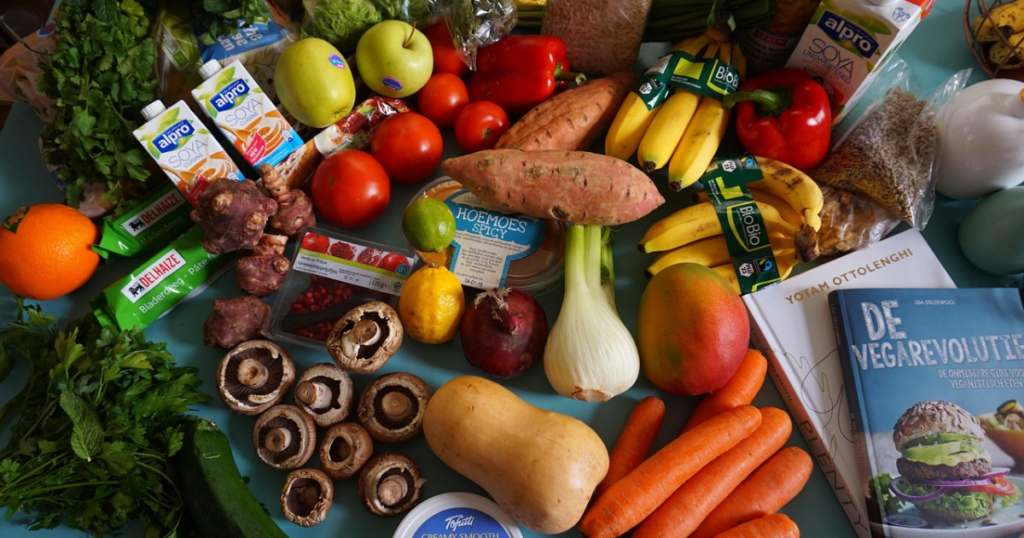
Explain the general principles of a balanced eating pattern and the importance of including a variety of foods.
7. Hydration
Discuss the importance of water and factors that can affect fluid needs.
8. Nutrition Labels
Show the audience how to identify important information on packaged-food nutrition labels.
9. Common Nutrition Myths
Address common misconceptions using reliable and evidence-based information.
10. Healthy Eating Tips
Provide practical suggestions that can be applied to everyday meals and food choices.
11. Conclusion
Summarize the main points and provide key takeaways.
12. Questions and Discussion
End with a simple Q&A slide if the presentation is being delivered to an audience.
How to Create a Basic Nutrition PPT Step by Step
Creating a professional basic nutrition PPT becomes easier when you follow a clear process.
Step 1: Define Your Audience
First, determine who will view your presentation. Consider their age, education level, background knowledge, and reason for learning about nutrition.
For example, a presentation for school students should use simple language and clear visuals, while an academic presentation may require more detailed information and references.
Step 2: Choose Your Main Topic
Nutrition is a broad subject, so avoid trying to cover everything in one presentation. Choose a specific purpose.
Possible topics include:
- Basics of nutrition
- Balanced diet
- Macronutrients
- Vitamins and minerals
- Healthy eating habits
- Nutrition labels
- Hydration
- Food groups
Step 3: Create an Outline
Organize your main points before creating individual slides. A simple diet and nutrition PPT outline could include:
- Introduction
- Importance of nutrition
- Food groups
- Macronutrients
- Micronutrients
- Balanced eating
- Hydration
- Nutrition labels
- Practical tips
- Conclusion
Step 4: Choose a Clean Template
Select a simple and readable PowerPoint template. Avoid backgrounds that make text difficult to read.
Use a consistent:
- Font family
- Heading style
- Color scheme
- Image style
- Slide layout
If you search for a food and nutrition PPT free download, check the template carefully before using it. Replace generic content with accurate information that matches your topic and audience.
Step 5: Keep Text Concise
Avoid filling slides with long paragraphs. Use short sentences and bullet points to highlight the most important information.
Instead of putting an entire explanation on a slide, use the slide to show the key points and explain the details verbally when presenting.
Step 6: Use Relevant Visuals
Images can make nutrition presentations more engaging. Useful visuals include:
- Fruits and vegetables
- Whole grains
- Protein-rich foods
- Healthy meal examples
- Food-group diagrams
- Nutrition-label examples
- Simple charts and infographics
Make sure every image supports the topic of the slide.
Step 7: Use Charts Carefully
Charts and graphs can help explain comparisons and research findings. However, only use data that comes from reliable sources and clearly label the information.
Avoid presenting one fixed nutrient ratio or calorie target as suitable for everyone because nutritional needs can vary between individuals.
Step 8: Add Practical Examples

Real-life examples can make a presentation for nutrition easier to understand.
For example, you can show:
- A balanced meal example
- A sample grocery list
- How to read a nutrition label
- Examples of nutrient-rich foods
- Simple meal-planning ideas
Step 9: Review Your Presentation
Before presenting, check every slide for:
- Spelling and grammar
- Accurate information
- Readable text
- Consistent formatting
- Clear images
- Logical order
- Reliable references where needed
Remove anything that does not directly support your main topic.
Key Topics for a Diet and Nutrition PowerPoint
If you are creating a detailed diet and nutrition PowerPoint, consider including the following topics.
Macronutrients
Macronutrients include carbohydrates, proteins, and fats. They provide energy and perform important functions in the body.
Your slides can explain:
- What carbohydrates are
- Common sources of carbohydrates
- The role of protein
- Protein-rich foods
- Types and functions of dietary fats
Micronutrients
Micronutrients include vitamins and minerals that the body needs in smaller amounts.
You can introduce nutrients such as:
- Vitamin A
- B vitamins
- Vitamin C
- Vitamin D
- Vitamin E
- Vitamin K
- Calcium
- Iron
- Potassium
- Zinc
Focus on their general roles and food sources rather than making unsupported medical claims.
The Role of Fiber
Dietary fiber is found in foods such as whole grains, beans, lentils, fruits, vegetables, nuts, and seeds. It is an important part of a healthy eating pattern and supports normal digestive function.
Balanced Meals
A balanced meal generally includes a variety of food groups. Visual models, such as a healthy plate diagram, can make this concept easier to explain.
Use the model as a general educational tool rather than presenting it as a personalized diet plan.
Hydration
Water is essential for normal body functions. Hydration needs can vary depending on factors such as age, activity, climate, and individual circumstances.
A presentation can explain why fluids are important and provide general hydration guidance without suggesting that one exact amount is appropriate for everyone.
Reading Nutrition Labels
Nutrition labels are a useful practical topic for a nutrition PowerPoint presentation.
Explain how to identify:
- Serving size
- Calories
- Protein
- Carbohydrates
- Fat
- Fiber
- Sodium
- Added sugars
Use an example label to show how the information can be interpreted.
Processed Foods
Instead of simply labeling all processed foods as unhealthy, explain that processing exists on a spectrum. Some processed foods can be nutritious, while frequently consuming foods high in added sugars, sodium, or saturated fat may be less consistent with a healthy dietary pattern.
Nutrition PowerPoint Design Tips
Good design can make your nutrition PPT presentation easier to follow.
Keep the Design Consistent
Use the same basic fonts, layouts, and visual style throughout the presentation.
Use High-Quality Images
Choose clear and relevant images. Avoid blurry or distracting pictures.
Use Icons and Diagrams
Simple icons can communicate ideas without adding large amounts of text.
Maintain Good Contrast
Make sure the text is easy to read against the background.
Avoid Crowded Slides
Each slide should focus on one main idea. If a slide contains too much information, divide it into two or more slides.
Use Slide Numbers
Slide numbers can help the audience understand their progress during longer presentations.
Where to Find Free Nutrition PPT Templates
If you do not want to design your presentation from scratch, you can search for free PowerPoint templates online.
Useful sources may include:
- Presentation template websites
- Educational websites
- Design platforms
- Public health organizations
- University and educational resources
When using a food and nutrition PPT free download template, check its licensing terms and replace placeholder content with your own accurate information.
Common Nutrition PowerPoint Mistakes to Avoid
1. Too Much Text
Large paragraphs make slides difficult to read.
2. Poor Formatting
Using too many fonts, colors, or layouts can make the presentation look inconsistent.
3. Unsupported Information
Nutrition information should come from reliable and current sources.
4. No Clear Structure
Organize your presentation so each section naturally leads to the next.
5. Ignoring the Audience
Use language and examples that match your audience’s knowledge level.
6. Too Many Visuals
Images should support your message rather than distract from it.
7. No Conclusion
Always finish by summarizing the most important points.
Sample Nutrition PowerPoint Slide Flow
Here is a simple structure for a basic nutrition PowerPoint presentation:
- Title Slide
- What Is Nutrition?
- Why Nutrition Matters
- Essential Nutrients
- Food Groups
- Building a Balanced Meal
- Macronutrients
- Micronutrients
- Fiber and Hydration
- Reading Nutrition Labels
- Common Nutrition Myths
- Healthy Eating Tips
- Key Takeaways
- Questions and Discussion
This structure can be adapted for classroom assignments, educational workshops, community programs, or general wellness presentations.
Frequently Asked Questions About Nutrition PowerPoint Presentations
1. How many slides should a basic nutrition PPT have?
A basic nutrition presentation can contain around 10 to 15 slides, depending on the topic, audience, and presentation time. More detailed academic presentations may require additional slides.
2. What should be included in a nutrition PowerPoint?
A nutrition PowerPoint can include an introduction to nutrition, food groups, macronutrients, micronutrients, balanced eating, hydration, nutrition labels, practical tips, and a conclusion.
3. How can I make a nutrition PPT more engaging?
Use relevant images, simple charts, short bullet points, real-life examples, questions, and interactive activities. Avoid placing large amounts of text on each slide.
4. Where can I find free nutrition PPT templates?
Free templates can be found on presentation-template websites, educational platforms, design tools, and some public health or educational organization websites. Always check the template’s usage terms before downloading or sharing it.
5. Should a nutrition PowerPoint include references?
Yes. Academic and professional presentations should include credible references, especially when presenting statistics, scientific findings, dietary recommendations, or health-related claims.
Conclusion
Creating an effective nutrition PowerPoint presentation does not require advanced design skills. The most important factors are clear organization, accurate information, audience awareness, and useful visuals.
Start with a clear topic and outline, organize your information into logical sections, keep your slides concise, and use images and charts to support your main ideas. If you are creating a basic nutrition PPT, focus on the essential concepts rather than trying to include every nutrition topic in one presentation.
Whether you are preparing a classroom assignment, a diet and nutrition PowerPoint, or looking for a food and nutrition PPT free download template, these principles can help you create a presentation that is clear, professional, and easy to understand.